Request payment straight from your phone.
Enter the amount and give the client a payment link or a QR code. Follow the transaction confirmation in the app.

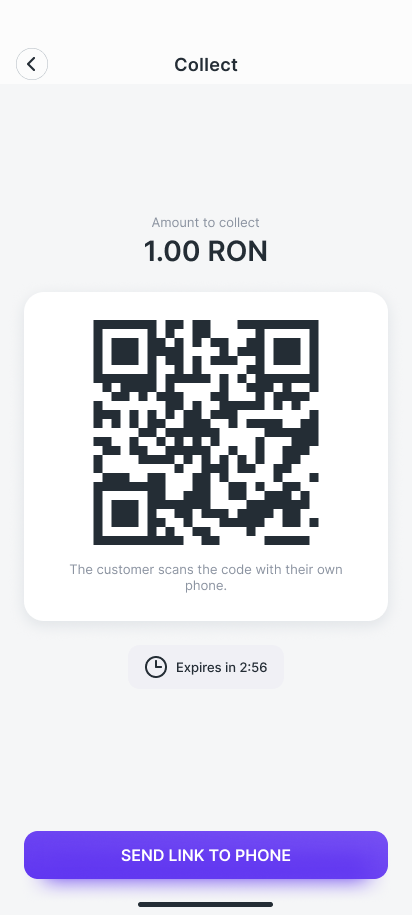
- Enter the amount.On the numeric keypad, with a description if you want.
- The client opens the payment.From the link received on WhatsApp or by scanning the QR code.
- You get the confirmation.The successful payment appears on screen, with the transaction number.
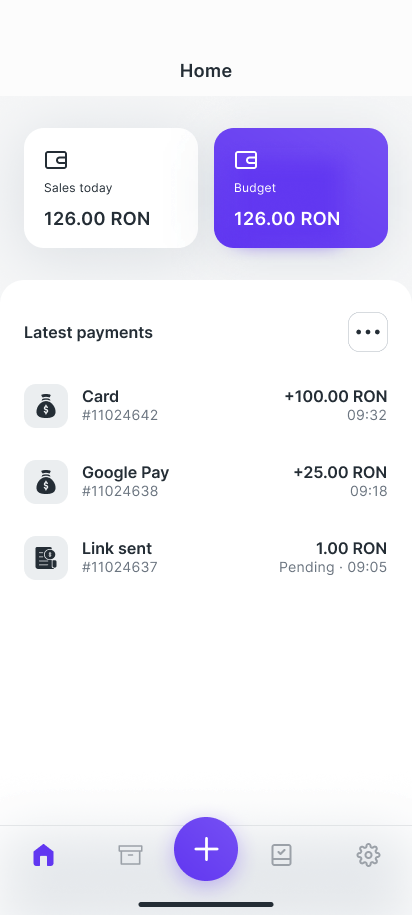
figopos, the app you collect payments with from your phone.
The Android app for merchants. You collect from the customer in front of you and see the payment confirmation on the spot.
- Tips for restaurants and cafés
- PIN code and biometric unlock
Good to know
- By link or QR code
- The customer pays on their own phone. They don't tap their card on your phone, and you don't need a terminal.
- Cash, on record
- You record cash payments in the app and issue an electronic receipt for them.
- What you need
- An Android phone with an internet connection.
Vouchers in figopos: sell them and buy them.
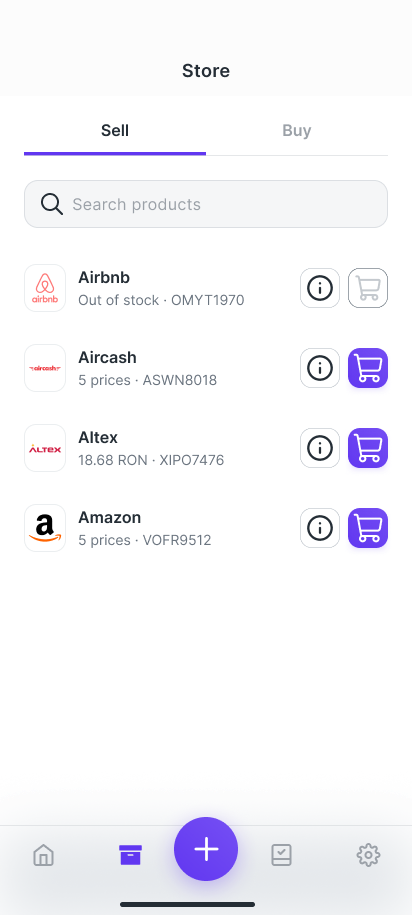
In the Store tab, figopos merchants can sell gift cards to customers and buy gift cards for themselves, from their benefits budget.
Sell gift cards to customers
- Choose the gift card from the catalog
- Choose the value from the available amounts
- Available stock is shown directly in the list
Frequently asked questions
What phone do I need?
An Android phone with an internet connection. You don't need a dedicated terminal.
Does the client have to install an app?
No. The client pays on their own phone, from the link received on WhatsApp or by scanning the QR code shown on your screen.
Can I collect cash too?
Yes. You record the cash payment in the app and issue an electronic receipt, just like for card payments.
What does the client get after paying?
An electronic receipt for every payment.
Let's talk!
We'll walk you through a live demo, tailored to your business.